 SlowGarden
A LITTLE WORLD, ON IPAD
How to color on iPad with SlowGarden
SlowGarden is a coloring app for iPad and iPhone. Open a storybook, choose a drawing, and make it your own with the colors you like. Your work saves on your device as you go.
Download on the App StoreThese iPad screenshots show the English app. The coloring and My Works screens show a story included with Developer Supporter.
01 · FIND A STORY
Choose a story
Open Books and choose a storybook, then select a drawing. Four storybooks with 16 drawings are free to begin.
Explore the storybooks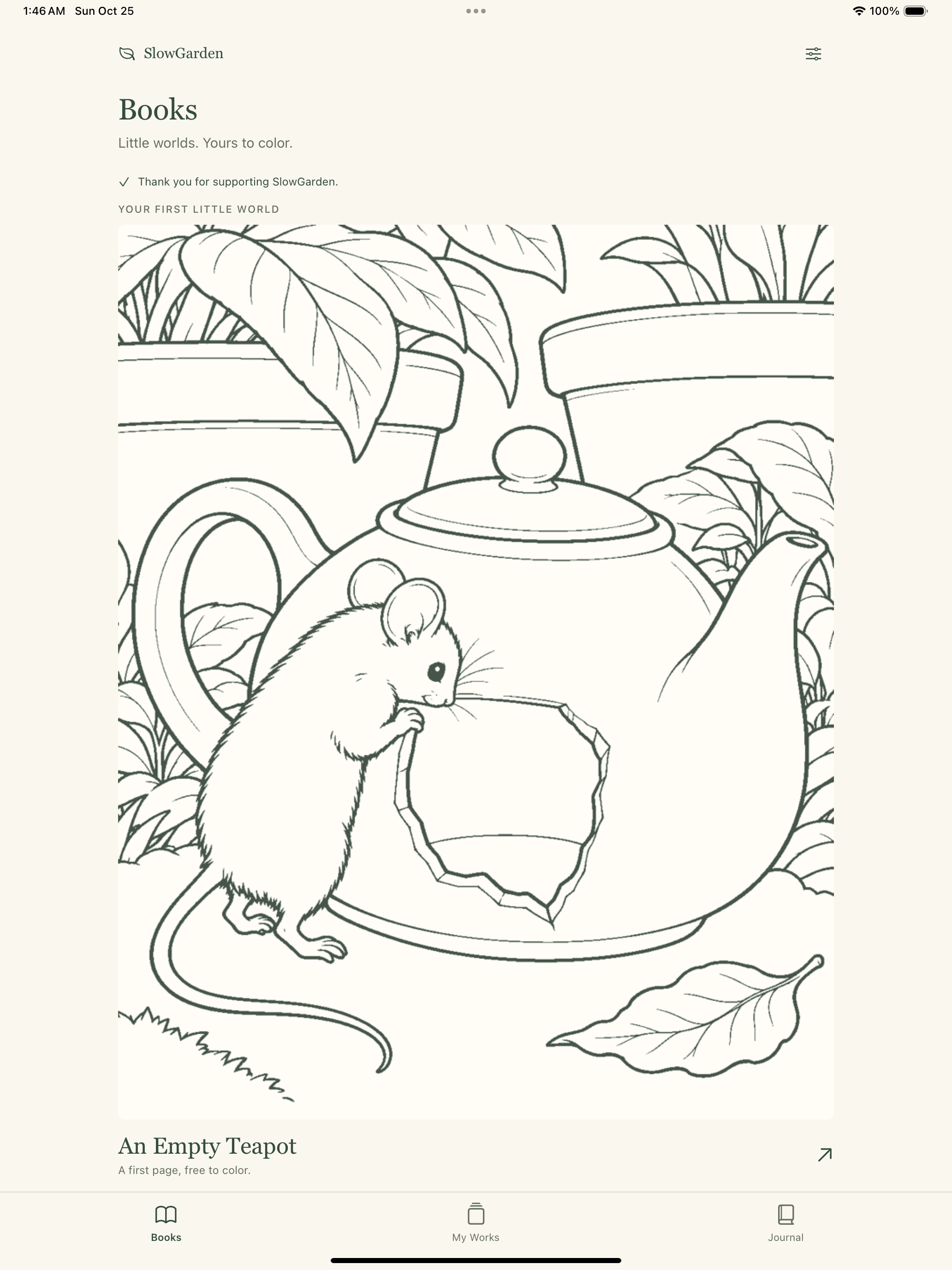
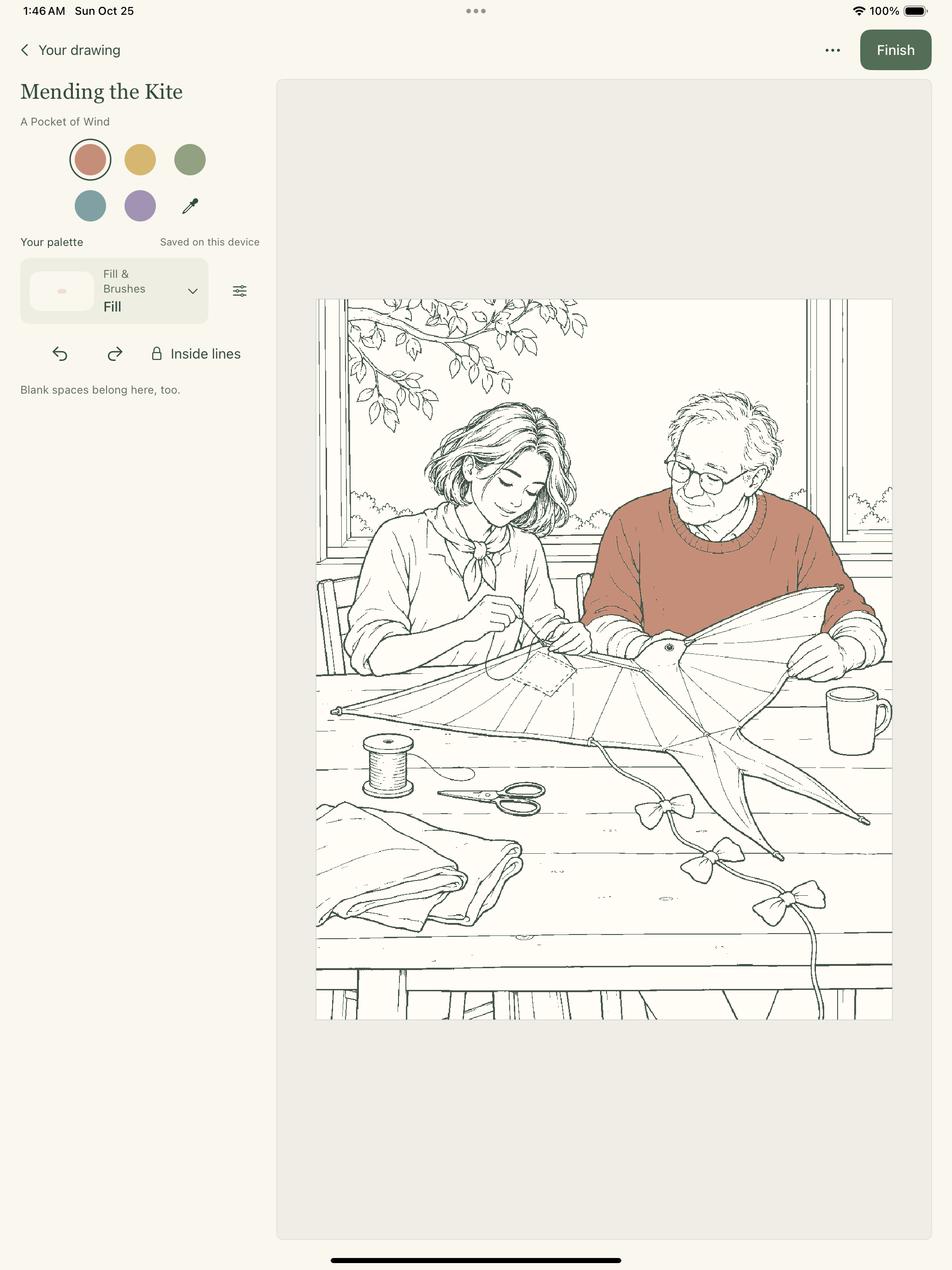
02 · MAKE IT YOURS
Choose your colors and tools
Choose your own colors. Tap an area to fill it, or use continuous strokes with a brush. There are no numbers to follow.
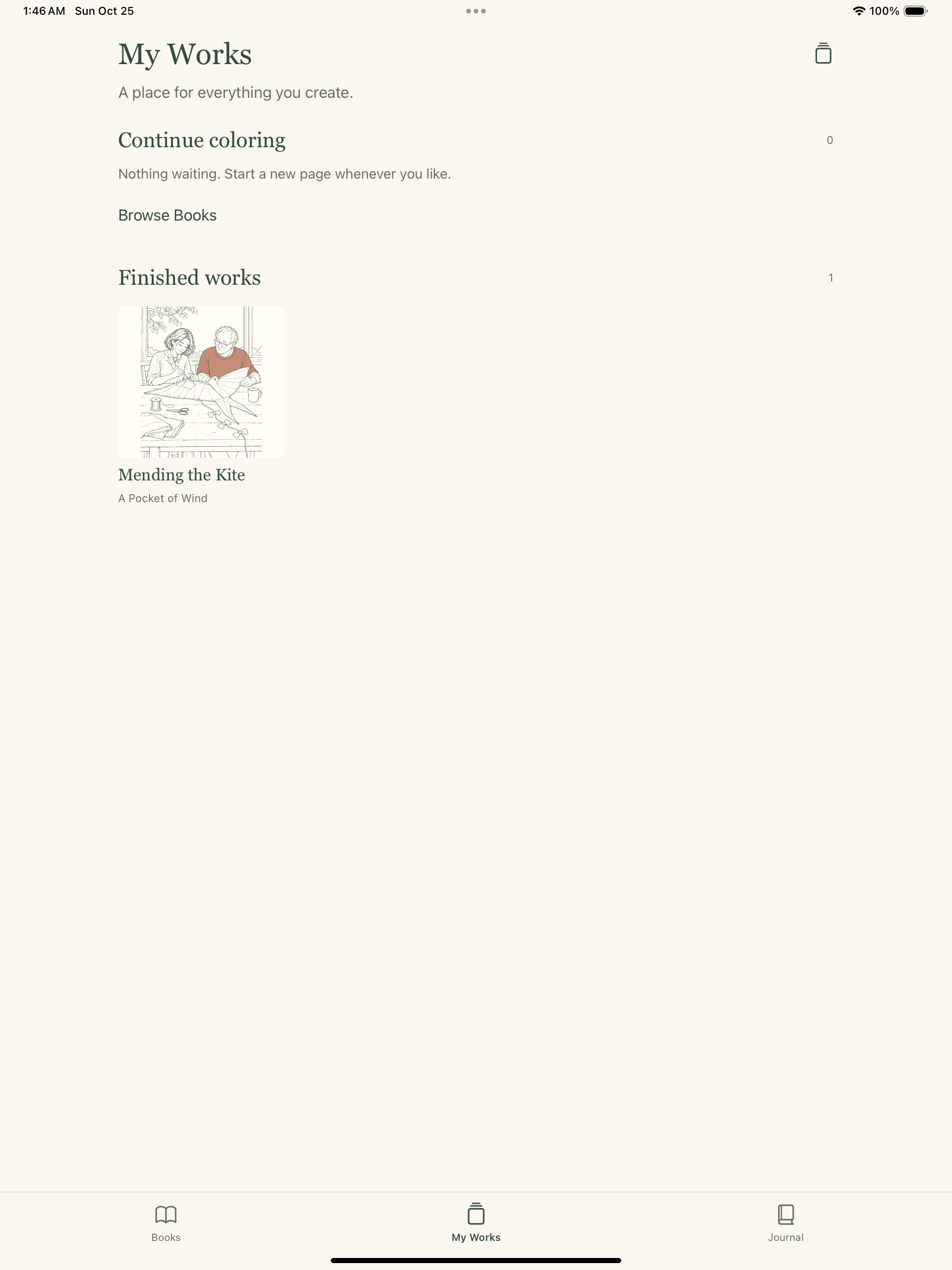
03 · COME BACK LATER
Your work saves as you go
Find your unfinished and finished drawings in My Works. Return to a drawing whenever you like. Choose Finish when it feels complete, even if you leave some spaces blank.
Free to begin, with room for more
Four storybooks and all coloring tools are free. An optional one-time Developer Supporter purchase unlocks four more books, future stories and alternate app icons. There is no subscription or fixed schedule for new books. The regional price is shown in the app.
See all free and supporter storiesOffline and on your device
Coloring, saved artwork and Journal work offline without an account. App Store downloads, purchases and restoring purchases need an internet connection. SlowGarden supports iPhone and iPad with iOS or iPadOS 17 or later.
Keep a manual backup somewhere safe. Restore Purchases restores supporter access, not artwork or Journal entries. There is no developer-operated cloud sync.
Save and back up your artwork Read the privacy policyOpen a book. Make it yours.
Start with four free storybooks on iPhone and iPad.
Download on the App Store